Getting Started with Reff.ly
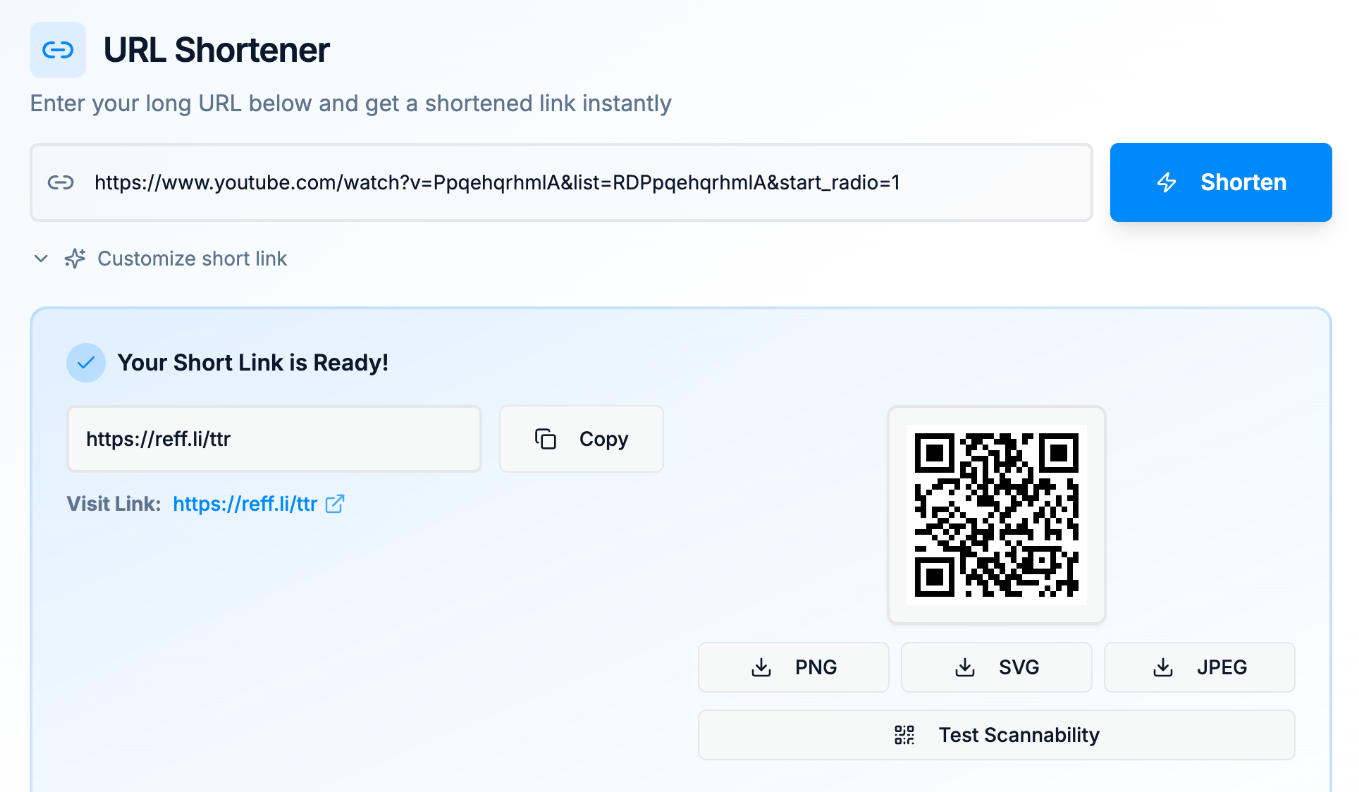
Welcome to Reff.ly 🚀 — a smarter, privacy-friendly way to shorten, track, and manage your links. Whether you're sharing a single campaign link or organizing multiple URLs, Reff.ly gives you the clarity and control you need — without the clutter.
This quick guide walks you through the essentials:
- Creating your first link
- Understanding analytics
- Managing your dashboard
🔗 Creating Your First Link
- 1
Sign in to your Reff.ly dashboard
Log in or create a free account. Your dashboard is where all your short links live.
- 2
Click
ShortenPaste your long URL into the field and hit Shorten. Reff.ly instantly generates a clean, shareable short link such as:
https://reff.ly/<shortname> - 3
Optionally generate a QR code
Every short link comes with a ready-to-use QR code you can download and share in your print materials, social posts, or presentations.
- 4
Share anywhere
Copy and paste your link anywhere — social media, email, or text. Reff.ly tracks every click automatically.
📊 Understanding Analytics
Your Reff.ly dashboard provides instant insights into how your links are performing.
Click Count
See how many people have clicked your link, in real time.
Top Referrers
Understand where your traffic is coming from — whether from social media, websites, or emails.
Geographic Insights
View the top countries your visitors come from.
Device & Browser Breakdown
Know how people are accessing your content.
Reff.ly presents this data clearly — without invading your visitors' privacy or using invasive trackers.
🧭 Managing Your Dashboard
Your dashboard helps you stay organized and in control of your short links.
Search
Quickly find any link using keywords or parts of the destination URL.
Action
Delete or archive links you no longer need, keeping your workspace clean.
QR Codes
Instantly view or download a QR code for any active link.
💡 That's it! You're now ready to create, track, and manage your links with confidence.
Ready to Get Started?
Create your first short link today and start tracking your success.
Shorten Your First Link Today